Unlock Automatic Savings: Browser Extensions for 5-15% Off in 2026
Unlock Automatic Savings: Browser Extensions for 5-15% Off in 2026
In the ever-evolving landscape of online shopping, finding the best deals can often feel like a treasure hunt. We all love a good discount, but who has the time to scour countless websites for coupon codes or compare prices manually? The good news is, in 2026, technology has made this process not just easier, but almost entirely automatic. Welcome to the world of automatic savings browser extensions, your secret weapon to consistently finding 5-15% off – and often much more – on your online purchases.
Imagine browsing your favorite e-commerce site, adding items to your cart, and just before checkout, a small notification pops up, instantly applying the best available discount code or suggesting a lower price from another retailer. This isn’t a futuristic fantasy; it’s the reality offered by today’s sophisticated browser extensions. These tools are designed to work tirelessly in the background, ensuring you never miss out on a potential saving. They are becoming an indispensable part of smart online shopping, transforming casual buyers into savvy savers with minimal effort.
This comprehensive guide will delve deep into the world of automatic savings browser extensions, exploring how they function, why they are essential for modern shoppers, and which ones are leading the pack in 2026. We’ll cover everything from coupon finders and price comparison tools to cashback services, providing you with practical insights and actionable strategies to maximize your savings. Get ready to transform your online shopping experience and keep more money in your pocket, effortlessly.
The Power of Automation: How Browser Extensions Deliver Savings
At their core, automatic savings browser extensions are software add-ons that integrate directly with your web browser (Chrome, Firefox, Edge, Safari, etc.). They are programmed to perform specific tasks in real-time as you navigate the internet, particularly when you’re on retail websites. The magic lies in their ability to automate processes that would otherwise require significant manual effort and time.
Think of them as your personal shopping assistants, constantly scanning for opportunities to save you money. These extensions leverage various technologies to achieve this:
- Coupon Code Aggregation: Many extensions maintain vast databases of active coupon codes, discounts, and promotional offers. When you visit a checkout page, they automatically test these codes to see which ones apply to your cart, ensuring you get the best possible discount without lifting a finger.
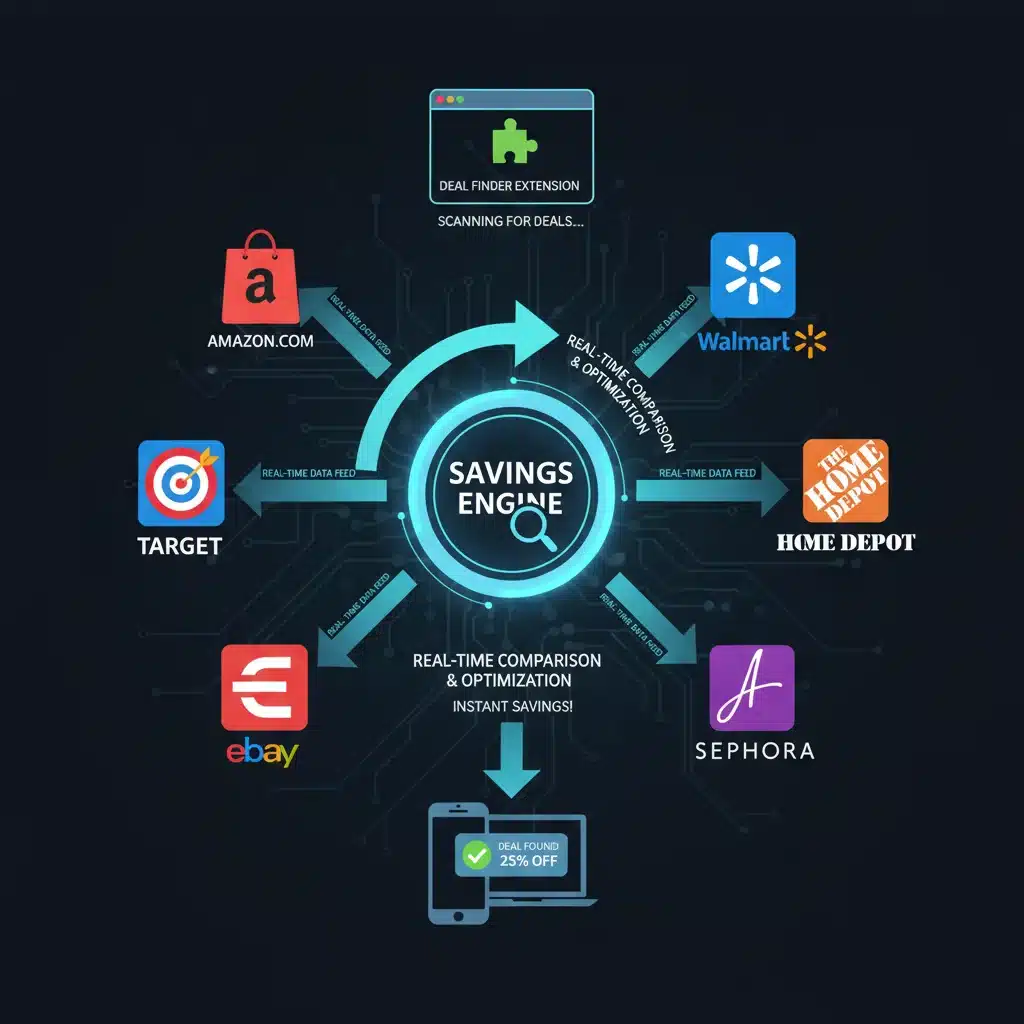
- Price Comparison: Some extensions specialize in comparing prices for the same product across multiple retailers. If you’re viewing an item on Amazon, for instance, the extension might alert you if it’s available for less on Walmart, Target, or another e-commerce site, including shipping costs and taxes in its calculation.
- Cashback Integration: A growing number of extensions partner with cashback programs. Instead of visiting a cashback portal first, the extension will automatically notify you if cashback is available for your purchase and activate it, putting money back into your account after a qualifying purchase.
- Price Drop Alerts: For items you’re tracking but not ready to buy immediately, some extensions offer price tracking. They monitor the price of a product over time and notify you when it drops to a certain threshold, helping you buy at the optimal moment.
- Waiting List/Restock Alerts: Beyond just price, some extensions can alert you when a popular, out-of-stock item becomes available again, preventing you from missing out on limited-supply deals.
The beauty of these tools is their passive nature. Once installed, they work in the background, only springing into action when a relevant opportunity arises. This means you can continue your online shopping as usual, confident that you’re getting the best deal without the added stress of manual searching. The cumulative effect of these small, consistent savings can be substantial over time, easily adding up to 5-15% of your total online spending, or even more for frequent shoppers or big-ticket items.
Why 2026 is the Year for Automatic Savings Browser Extensions
While browser extensions for savings aren’t entirely new, 2026 marks a significant period for their adoption and sophistication. Several factors contribute to their growing importance and effectiveness:
Increased E-commerce Penetration
Online shopping continues its exponential growth. More people than ever are making purchases online, from groceries to electronics, fashion, and even services. As the volume of online transactions increases, so does the potential for savings, making automatic savings browser extensions more relevant than ever.
Advanced AI and Machine Learning
Modern extensions are no longer simple code-testers. They leverage advanced AI and machine learning algorithms to predict price drops, identify personalized deals based on your shopping habits, and even negotiate better prices with certain retailers. This intelligence allows them to find more obscure or time-sensitive deals that manual searching would likely miss.
Enhanced User Experience
Developers are constantly refining the user experience. Extensions are now more intuitive, less intrusive, and seamlessly integrated into the browsing experience. Notifications are smarter, and the process of applying discounts is often a single click, making them incredibly user-friendly even for those less tech-savvy.
Data-Driven Insights for Shoppers
Many extensions now offer historical price data, allowing you to see if the current price is truly a good deal or if the item frequently goes on sale for less. This transparency empowers consumers to make more informed purchasing decisions, moving beyond impulsive buys to strategic shopping.
Competition Among Extension Providers
The market for these extensions is highly competitive, driving innovation. Companies are constantly striving to offer more features, broader retailer coverage, and better savings to attract and retain users. This competition benefits consumers directly through improved services and higher savings potential.
In essence, 2026 represents a mature yet rapidly evolving ecosystem where these tools are not just an advantage but a near necessity for anyone serious about optimizing their online spending. They are a testament to how technology can empower consumers financially, turning what used to be a tedious task into an automatic benefit.
Top Automatic Savings Browser Extensions to Install in 2026
Now that we understand the immense value of these tools, let’s explore some of the leading automatic savings browser extensions that should be on your radar in 2026. Each offers unique strengths, and often, combining a few can yield the best results.
1. Honey: The Coupon & Rewards King
Honey remains one of the most popular and effective extensions for a reason. It automatically finds and applies coupon codes at checkout across thousands of online stores. Beyond coupons, Honey also offers:
- Honey Gold: A cashback program where you earn points on eligible purchases, redeemable for gift cards.
- Droplist: Allows you to add items to a watchlist and get notified if the price drops.
- Amazon Best Price Finder: Automatically checks other Amazon sellers for a lower price.
Why it’s essential: Its vast coupon database and seamless integration make it a must-have for almost any online shopper. The Honey Gold program adds another layer of passive savings.

2. Rakuten (formerly Ebates): Cashback Champion
Rakuten is primarily a cashback service, but its browser extension makes activating cashback incredibly simple. Instead of remembering to visit Rakuten’s website first, the extension:
- Notifies you of available cashback: A small pop-up appears on participating retail sites, prompting you to activate your cashback with a single click.
- Finds coupons: While its main focus is cashback, the extension also tests and applies some coupon codes at checkout.
Why it’s essential: For shoppers who value cashback, Rakuten’s extension ensures you never miss earning money back on your purchases. The combined savings from cashback and occasional coupons can be very significant.
3. Capital One Shopping: The Ultimate Price Comparer
Capital One Shopping (formerly Wikibuy) excels at price comparison. When you’re viewing a product, it instantly scans thousands of other retailers to see if a better price is available. Key features include:
- Real-time Price Comparison: Shows you if the product is cheaper elsewhere, including shipping.
- Coupon Code Application: Automatically tests available coupon codes at checkout.
- Price Drop Protection: Can track items and notify you of price drops.
- Rewards: Earns credits redeemable for gift cards at various stores.
Why it’s essential: If price matching is your priority, Capital One Shopping is incredibly powerful. It ensures you’re not overpaying by showing you alternatives instantly.
4. InvisibleHand: Discreet Price Comparison
InvisibleHand operates more subtly than some other extensions. It works in the background and only notifies you if it finds a lower price for the product you’re viewing on another retailer’s website. It’s particularly useful for flights, hotels, and rental cars, in addition to standard retail items.
- Passive Price Alerts: Appears only when a better deal is found.
- Broad Coverage: Works across a wide range of product categories and services.
Why it’s essential: For users who prefer a less intrusive experience but still want assurance they’re getting a good deal, InvisibleHand is an excellent choice. It’s particularly strong for travel bookings.
5. CamelCamelCamel (for Amazon Shoppers): Price Tracking Specialist
While not a general-purpose savings extension, CamelCamelCamel is indispensable for frequent Amazon shoppers. It tracks the price history of millions of products on Amazon, allowing you to:
- View Price History Charts: See how a product’s price has fluctuated over time.
- Set Price Drop Alerts: Get notified via email or Twitter when a product’s price drops to your desired level.
Why it’s essential: It prevents you from falling for fake sales or buying an item just before a significant price drop. It empowers you to buy at the historically lowest point.
6. The Great Suspender / OneTab (for performance): Not Direct Savings, but Indirect
While not directly finding discounts, extensions like The Great Suspender or OneTab indirectly contribute to your savings by optimizing browser performance. By suspending unused tabs or consolidating them, they reduce memory usage and improve your computer’s speed. A faster, more efficient browsing experience means less frustration and potentially quicker, more focused shopping, avoiding unnecessary purchases due to slow loading times or crashes.
Why it’s essential: A well-performing browser is crucial for a smooth online shopping experience. These extensions ensure your system isn’t bogged down, allowing other savings extensions to work more effectively.
Maximizing Your Savings: Strategies for Using Extensions Effectively
Installing one or two automatic savings browser extensions is a great start, but leveraging them strategically can significantly amplify your savings. Here are some advanced tips for getting the most out of these powerful tools:
Combine Complementary Extensions
Don’t limit yourself to just one. For example, use Rakuten for cashback, Honey for coupon codes, and Capital One Shopping for price comparison. These extensions often work in harmony, providing multiple layers of savings. Just be mindful not to overload your browser, as too many extensions can sometimes slow it down.
Check Before You Buy, Even with Extensions
While extensions automate much of the process, it’s still wise to do a quick manual check for very large purchases. Sometimes, a retailer might offer an exclusive deal directly on their site that hasn’t been picked up by an extension yet, or a specific loyalty program might offer a better discount.
Utilize Price History and Drop Alerts
For non-urgent purchases, always check the price history (if available through your extension, like CamelCamelCamel). Set price drop alerts and be patient. This strategy can save you a significant amount, especially on electronics and home goods that frequently fluctuate in price.
Understand Cashback Payouts
Cashback extensions like Rakuten typically have payout thresholds and schedules (e.g., quarterly payments). Understand how and when you’ll receive your cashback so you can factor it into your overall budget and savings calculations.
Read Reviews and Stay Updated
The world of extensions is dynamic. New ones emerge, and existing ones update their features. Regularly check reviews and tech blogs for the latest recommendations and information on how to use them most effectively. Ensure the extensions you use are well-regarded for privacy and security.
Leverage Loyalty Programs and Store-Specific Deals
While extensions are great for general savings, don’t forget about store-specific loyalty programs or credit card rewards. Sometimes, combining an extension’s discount with a loyalty perk can lead to even greater savings. For instance, using a cashback extension along with a store’s member-exclusive coupon can be a winning combination.
Clear Your Browser Cache Periodically
Sometimes, browser performance can impact how effectively extensions run. Periodically clearing your browser’s cache and cookies can help maintain optimal speed and ensure your automatic savings browser extensions are working at their best.
The Financial Impact: How 5-15% Adds Up
A 5-15% saving might seem small on an individual purchase, but the cumulative effect over a year can be astonishing. Let’s consider a hypothetical scenario:
- Average Monthly Online Spending: $300
- Annual Online Spending: $3,600
- Conservative Savings (5%): $180 per year
- Moderate Savings (10%): $360 per year
- Optimistic Savings (15%): $540 per year
These figures represent money that stays in your pocket, money that can be used for other financial goals like building an emergency fund, investing, paying down debt, or simply enjoying life more. For families or individuals with higher online spending habits, these savings can easily climb into the thousands annually. The beauty is that these savings are largely effortless once the extensions are installed, making them a truly passive income stream in the form of reduced expenses.
Beyond direct monetary savings, these extensions also save you valuable time. Imagine the hours you would spend manually searching for coupon codes or comparing prices across different sites. That time can now be repurposed for more productive or enjoyable activities. This dual benefit of saving both money and time underscores the significant financial and lifestyle impact of adopting automatic savings browser extensions.
Potential Pitfalls and How to Avoid Them
While automatic savings browser extensions offer immense benefits, it’s crucial to be aware of potential downsides and how to mitigate them:
Privacy Concerns
Many extensions require access to your browsing data to function effectively (e.g., to know which products you’re viewing). Always check the privacy policy of any extension before installing it. Stick to reputable extensions with millions of users and strong privacy commitments. Avoid extensions from unknown developers.
Browser Performance
Too many extensions, especially poorly coded ones, can slow down your browser or even cause crashes. Be selective. Install only the ones you genuinely need and that are known for good performance. Regularly review your installed extensions and remove any you no longer use.
False Positives or Expired Codes
Sometimes, an extension might suggest an expired coupon code or a price that isn’t truly lower once shipping is factored in. While extensions are intelligent, they aren’t infallible. Always do a quick verification, especially on significant purchases, before finalizing your order.
Compatibility Issues
Not all extensions work perfectly with every website or browser. If an extension isn’t functioning on a particular site, it might be a compatibility issue. Check the extension’s support page or try a different extension.
Security Risks
Malicious extensions can be a gateway for malware or phishing attempts. Only download extensions from official browser stores (Chrome Web Store, Firefox Add-ons, etc.) and check user reviews and ratings thoroughly. Be wary of extensions that ask for excessive permissions beyond what’s necessary for their function.
By being mindful of these potential issues and exercising due diligence, you can safely and effectively harness the power of automatic savings browser extensions to your financial advantage.
The Future of Automated Shopping Savings
Looking ahead, the capabilities of automatic savings browser extensions are only set to grow. We can anticipate even more sophisticated features in the coming years:
- Hyper-Personalized Deals: AI will become even better at understanding individual shopping preferences and predicting future needs, delivering highly targeted discounts.
- Voice-Activated Savings: Integration with voice assistants could allow users to simply ask their browser to find the best deal for a product, hands-free.
- Blockchain for Transparency: Decentralized technologies might be used to verify coupon codes and price histories, ensuring even greater transparency and trust.
- Subscription Management Integration: Extensions might not just find discounts on products but also help manage and optimize your various subscriptions, ensuring you’re not paying for unused services.
- Ethical Shopping Filters: Beyond price, extensions could offer filters for ethical sourcing, sustainability, or local production, allowing users to save money while aligning with their values.
The trend is clear: shopping is becoming increasingly intelligent and automated. These extensions are at the forefront of this revolution, empowering consumers with tools that were once the exclusive domain of professional buyers. As we move further into 2026 and beyond, embracing these technologies will be key to smart financial management in the digital age.
Conclusion: Embrace Effortless Savings Today
In conclusion, the era of manual coupon hunting and tedious price comparisons is rapidly fading. Thanks to advanced automatic savings browser extensions, securing 5-15% off, and often more, on your online purchases has never been easier. These powerful tools act as your silent financial guardians, working tirelessly in the background to ensure you get the best possible deals, saving you both money and precious time.
From the comprehensive coupon databases of Honey to the cashback prowess of Rakuten, and the unparalleled price comparison of Capital One Shopping, there’s an extension tailored to every shopper’s needs. By strategically combining these tools and understanding their capabilities, you can transform your online shopping experience into a consistently rewarding endeavor.
Don’t let another online purchase go by without leveraging the power of automation. Install a few reputable automatic savings browser extensions today, and start experiencing the joy of effortless savings. Your wallet will thank you, and you’ll gain valuable time back that can be spent on what truly matters. Make 2026 the year you master the art of smart, automated online shopping.